Caroline Pastrano
← Back to projects

SEATS for UT Austin

Improving the UT event scheduling web app SEATS through iterative user testing and design changes

Timeline

June – December 2025

People

2 programmers
1 UX specialist (me)

Role

UX research
UX design

Outcomes

UX recommendations and changes for web app

The Problem

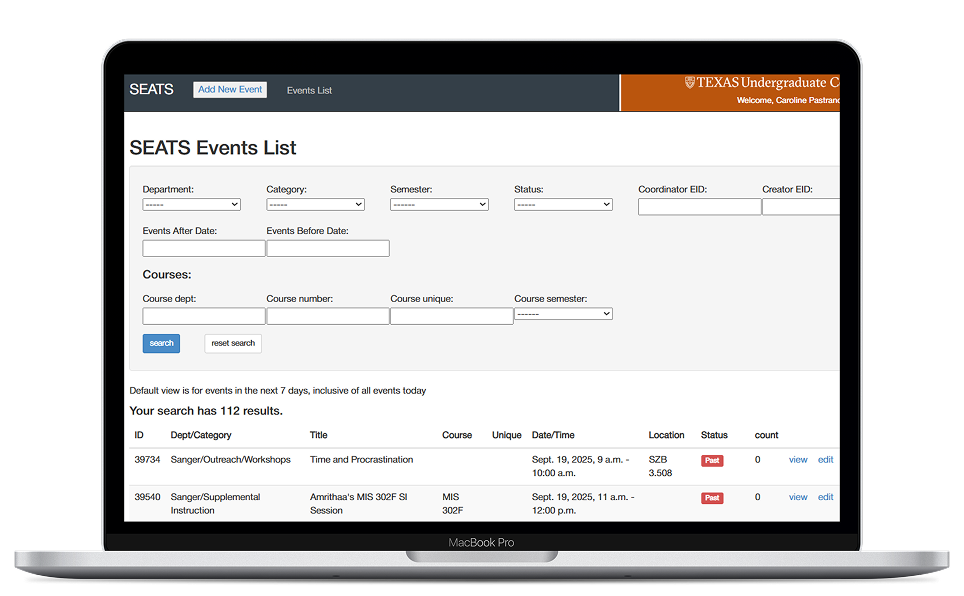
SEATS is a UT web app for scheduling events and monitoring attendance, used by many staff and student educators at the university including myself. As an app that has been around for a while, its usage has shifted over time so that many of its functions are now archaic or difficult to use.

My Solution

By working with SEATS users and the development team behind it, I helped produce design changes that make the app more usable for those who rely on it.

I. SEATS Introduction

SEATS is a web app used by UT's Sanger Learning Center for supplemental education and tutoring. Its features can be broken down into three main categories:

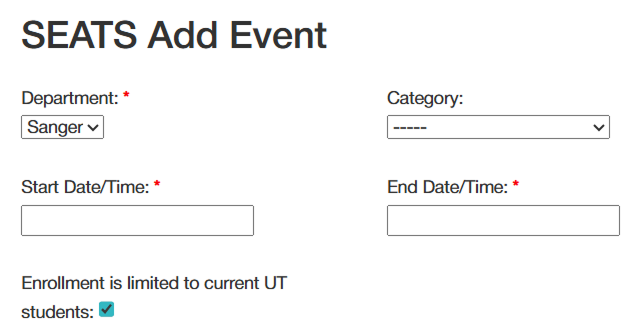
Creating and editing events

Users can create events for themselves or for others and edit preexisting events.

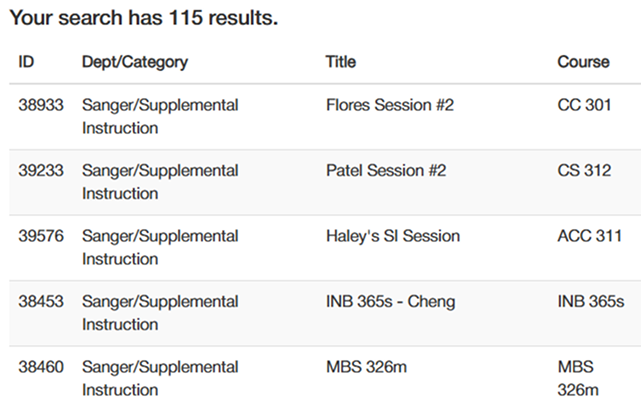
Searching for events

Users can search for events using specific parameters, and can download data from these searches in order to perform analytics.

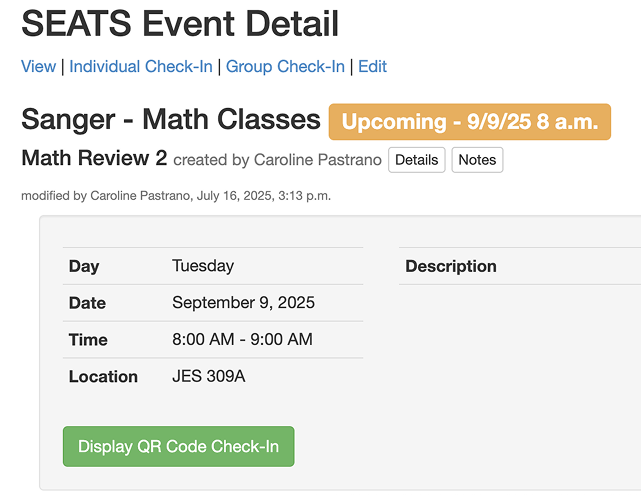
Taking event attendance

Users can record event attendance by checking in students with their UT EIDs.
II. User Testing

I outlined eight tasks spanning all three categories of features. I then conducted five moderated user tests with Sanger Learning Center staff, each with varying levels of experience with SEATS.

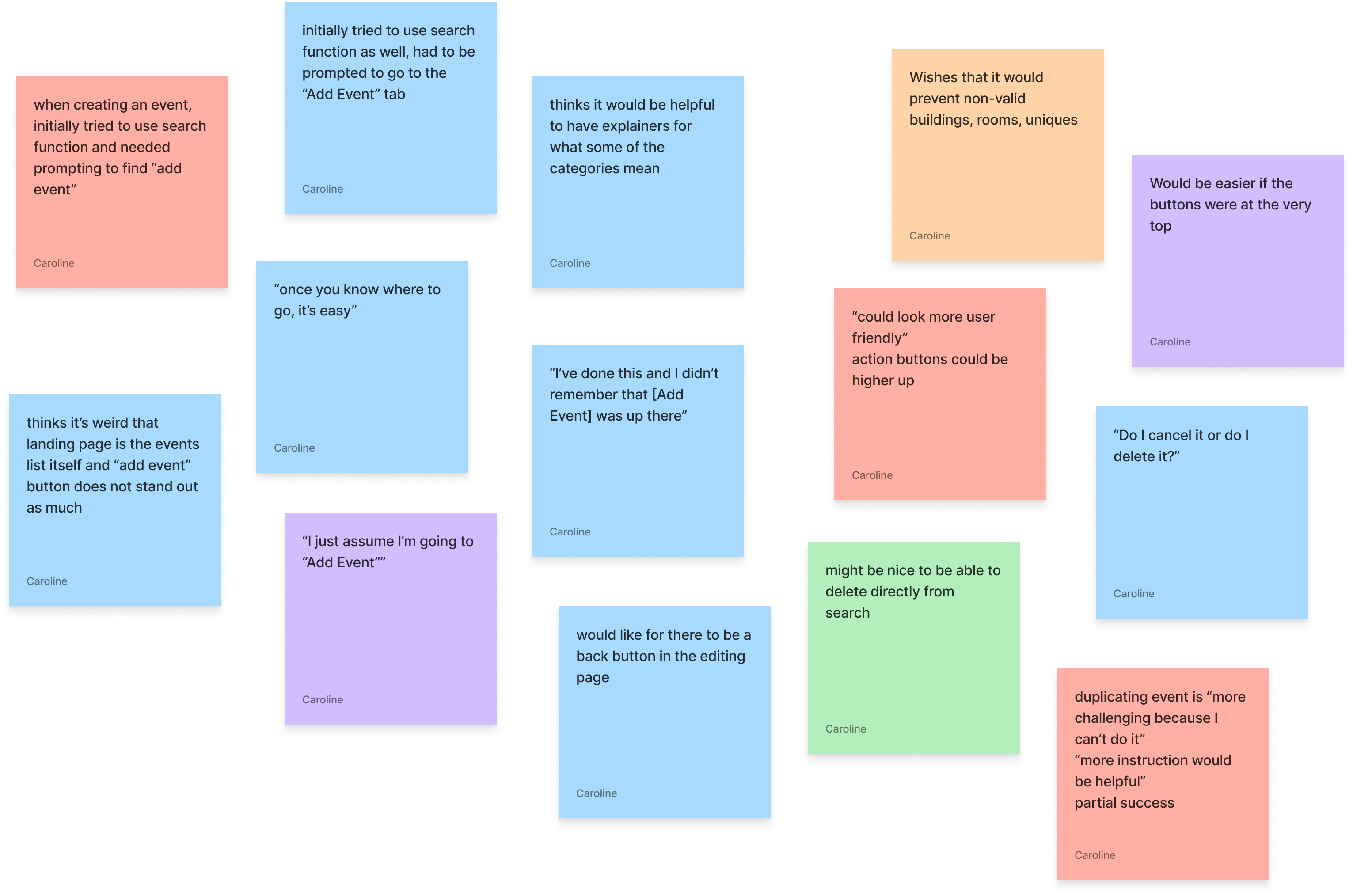
I had the users utilize a think-aloud process, and followed up with both post-task and post-test questions in order to dive deeper into their feelings about the experience. After all tests were completed, I used affinity mapping to discover insights.
III. Design Changes

After analyzing results from user testing, I presented my findings to the UT web dev team and made design recommendations based on what I discovered. The improvement process is still ongoing, but here are some changes that have been implemented so far:


Adding an event

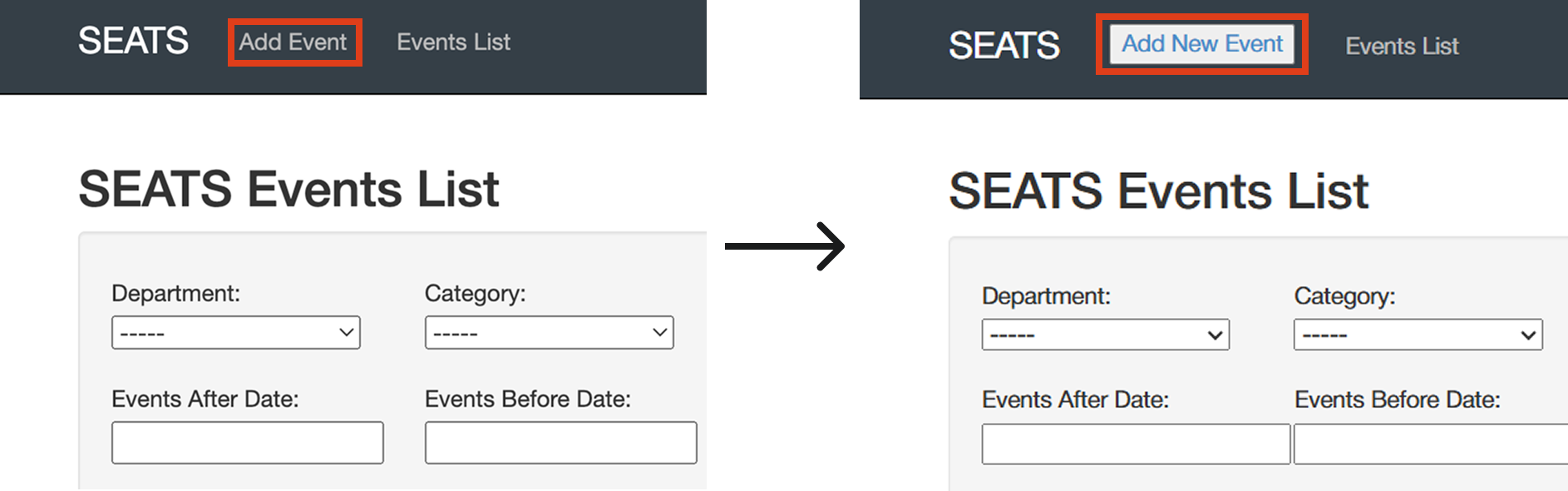
Users thought that the search box at the top of the landing page was for creating a new event. To prevent confusion, I recommended making the "Add Event" button at the top more prominent, through both visual design and verbiage changes.

Checking in students

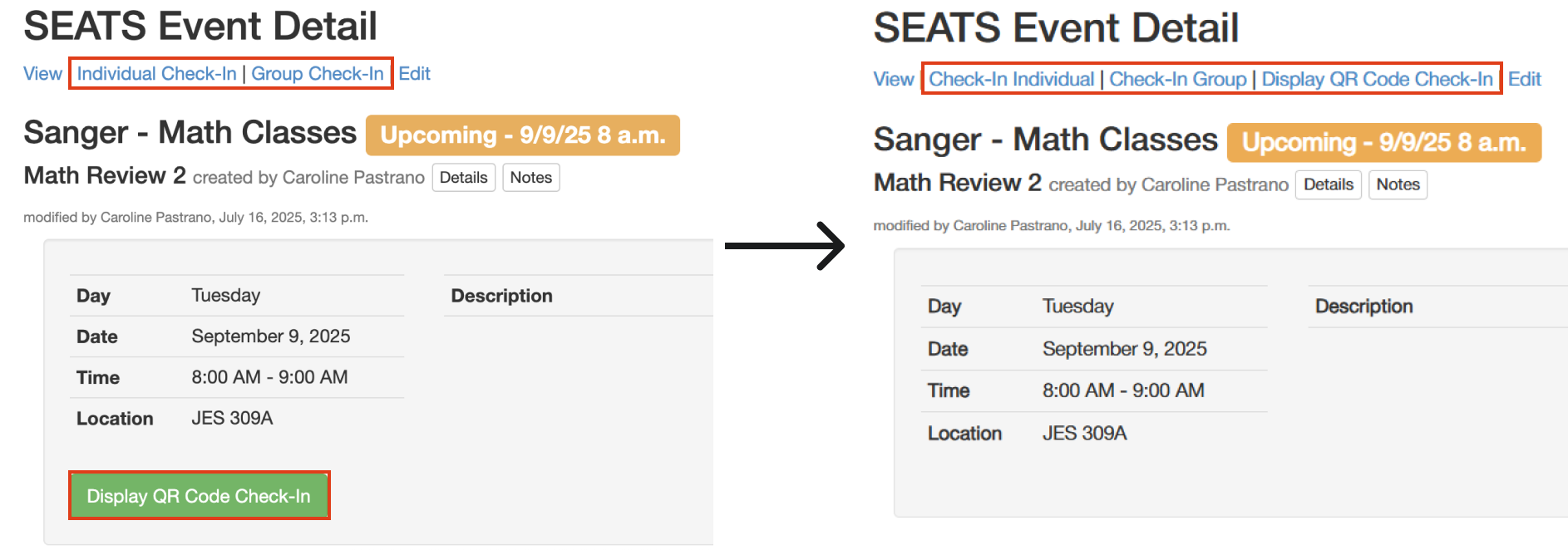
Users were confused that the QR code check-in button was not in the same place as the other check-in options. I recommended moving this button into the menu with the other options.

Preventing invalid entries

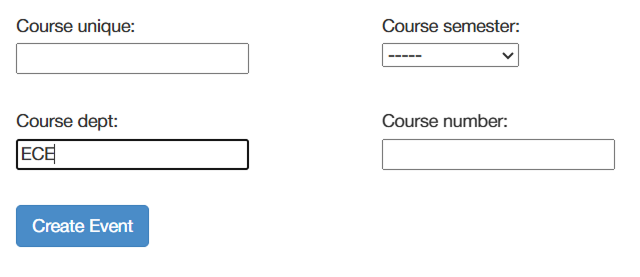
Users who perform analytics on SEATS data expressed difficulty in cleaning data when entries contained errors. I recommended preventing invalid entries in text entry boxes, such as only allowing course department codes that are found in a list of all UT department codes.

IV. Next Steps

Going forward, I will continue working with the web development team to implement rolling changes to the SEATS platform, which includes more rounds of user testing as part of an iterative design process!